
Premium quality. Ultra detail.
Professional Vector Design Services
4.9 (200+ verified reviews)
$10.00/ea
DescriptionSend a reference image and get back a clean, print-ready vector file — no minimums, no guesswork.
Professional vector design services from DTF Virginia give you crisp, scalable graphics that are production-ready for any project.
Need vector artwork for logos, custom heat transfers, signage, or digital marketing? Our team keeps your designs sharp and clean at any size.
Raster images (PNG, JPG, PSD) lose quality when enlarged. Vector design services give you scalable files (AI, EPS, SVG, PDF) that stay precise and clear.
That makes them ideal for printing, screen printing, sublimation, and professional marketing materials.
Our professional vector design services are fast, affordable, and reliable. Pricing starts at just $10 per file.
We specialize in raster-to-vector conversion. We take low-resolution or pixelated images and turn them into high-quality vector graphics ready for any use.
With a quick turnaround, you can upgrade your artwork without delays or extra costs.
Key Benefits:
- Sharp, scalable graphics that never lose resolution.
- Affordable vector design services with simple pricing.
- Optimized files tailored for both personal and commercial projects.
- Seamless, production-ready artwork for apparel, signage, and more.
Tired of pixelated, blurry images ruining your projects?
At DTF Virginia, our professional vector design service turns low-resolution designs into crisp, scalable, print-ready files.
Have a sketch on paper or a low-quality JPG? Our designers will convert it into a high-quality vector file.
Vector graphics keep your designs sharp at any size, from custom apparel to professional branding.
Upgrade your artwork today with DTF Virginia’s professional vector design services.
We deliver results to customers in Hampton, Norfolk, Suffolk, Virginia Beach, across Virginia, and nationwide.
FAQCommon questions about the vector service.
What file will I get back? A clean, scalable vector file (AI, EPS or SVG) ready to print, cut or hand off for embroidery digitizing.
What if I don’t have a clean reference image? Send whatever you have — a photo of a logo, an old low-resolution file, even a rough sketch — and the design team will work from it.
How long does it take? Most files are ready within 24 hours.
Can you match specific colours? Yes — note any exact colours you need matched when you upload your reference.
Say Goodbye To Pixelated ImagesWhy a vector conversion keeps your artwork crisp at any size.
Say hello to crystal-clear quality! Utilize our vector service to enlarge your images without any loss of detail. Achieve stunning, professional results effortlessly. Transform your creations today with our cost-effective vector service!
What's The Difference?How vector graphics compare to raster (pixel-based) images.
Discover the key difference between vector and raster graphics: Raster graphics are pixel-based, leading to issues like pixelation when resized. In contrast, vector graphics use paths, ensuring your designs stay sharp and clear at any size. Upgrade your design quality with vectors today!
Low Resolution Impacts Print QualityWhat a low-resolution raster file costs you in print quality.
Low resolution raster images may result in pixelation and blurry enlargements, hampering design quality. By utilizing vector graphics, which offer infinite scaling without quality loss and smaller file sizes, you can elevate design efficiency and effectiveness.
24 hr
Standard turnaround
4.9 ★
From 200+ verified reviews
200+
Verified reviews
Since 2020
Printing in Hampton
Made in Virginia
Proudly local — Hampton, VA
Trusted by thousands
Businesses, teams and brands across the U.S. trust DTF Virginia.
4.9
(200+ verified reviews)
More reviews on the way
We're a growing shop and most of what we make is one-of-a-kind, so reviews come in slowly. Every completed order is real - ask us for references from a recent job like yours.
Mona Rawley’s review is real, taken from DTF Virginia’s own store, as is the 4.9★ / 200+ rating.
Clean, print-ready vectorsDelivered as scalable AI, EPS or SVG
Designer reviewedA real person checks and cleans up every file
Fast turnaroundMost files ready within 24 hours
Colour matchedVector colours matched to your original artwork
Any size, any useReady for print, cut, or embroidery digitizing
You may also like
Gang Sheet
22" Custom Sublimation Gang Sheet Builder
from $6.56 /ea
8 size
Gang Sheet
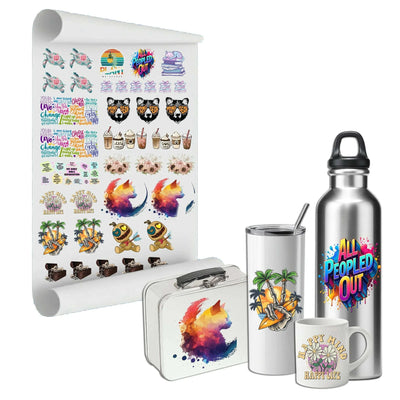
22" Sublimation Gang Sheets
from $8.50 /ea
9 gang roll size
Gang Sheet
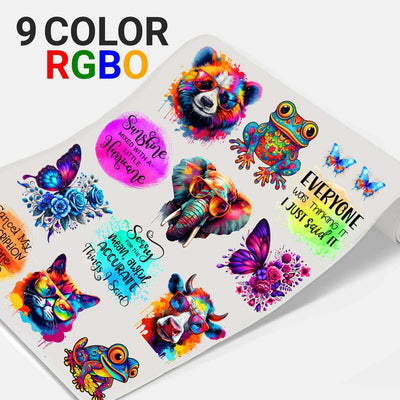
22" Ultra 9 Color DTF Transfers
from $9.00 /ea
8 size
Gang Sheet
22" UV DTF Sticker Sheet Builder
from $12.60 /ea
25 size
Not sure what you need?
Ask Rudi!
Get expert answers in seconds.Chat with Rudi
Designer reviewedA real person checks and cleans up every file.
Secure orderingYour information is safe and protected.
Satisfaction guaranteedWe stand behind every file we deliver.
ARTWORK SERVICES AVAILABLE
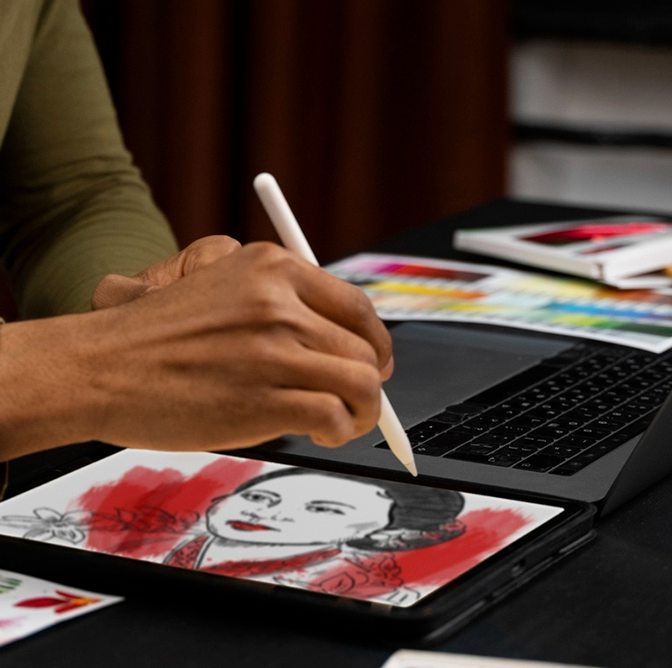
Say hello to crystal-clear quality! Utilize our vector service to enlarge your images without any loss of detail. Achieve stunning, professional results effortlessly. Transform your creations today with our cost-effective vector service!
Glitter DTF Benefits
- Sparkle: Add glitter to your designs for long lasting shine that withstands wash after wash.
- Easy Application: Same application process as standard DTF transfers.
- Soft Finish: Better hand feel than vinyl for a professional look.
- No Weeding: Ultra fine details without weeding, saves you time and effort. Works on All Fabrics: Glitter DTF transfers work on all fabric types and colors, cotton, polyester, nylon, rayon.
- No Pretreatment: No pretreatment needed, even on dark fabrics.
- Retail Quality: Each transfer has professional grade adhesive and white base for a flawless finish.
- Even Glitter Coating: Entire design has a consistent layer of glitter for a amazing effect.
DTF Virginia
- Cheap Shipping: Shipping as low as $9.00
- Bulk Discounts: bulk discounts added at checkout
- Fast Shipping: Same day shipping on order made before 3PM State of the Art Printing: We use the latest professional grade printers for top quality.
Transparent Pricing
- Pay Only for What You Print: We charge down to the 1 inch area, so you’re not paying for unused space.
- No Hidden Fees: No extra charges for unused areas on gang sheets or padding for easy cutting.
100 Day Satisfaction Guarantee
We’re so confident in our Glitter DTF transfers. If there’s a defect with your order we’ll reprint it for free.
- Image quality issues when using a 300 DPI image.
- Adherence problems.
- Damage caused during shipping.
Damage caused during shipping.
Get your designs sparkling with Glitter DTF transfers
From DTF Virginia! Whether personal or commercial use, our transfers make it easy to get retail quality with glitter. Order now!
Frequently Asked Questions
Clear Answers To Help You Make Informed Decisions
What is DTF (Direct to Film Process)?
Direct to Film or DTF is a process that transfers prints onto fabric or other substrates using a heat-press mechanism. Unlike the DTG method, which only works on cotton fabrics, the Printer DTF method can work on cotton and poly blends and much more.
How DTF Works
The Direct to Film (DTF) process works through several key steps, allowing for vibrant and durable designs to be transferred onto various fabrics. Here's a detailed explanation of how DTF works:
1. Design Preparation:
- Artwork Creation: The design is created or prepared using graphic design software. It is essential that the design is of high resolution to ensure quality printing.
- Color Management: Colors are adjusted and managed to ensure they print correctly and vibrantly.
2. Printing:
-Film Selection: A special PET (polyethylene terephthalate) film, known for its stability and non-stick properties, is chosen.
- Printer Setup: The DTF printer is set up, which is capable of printing with specialized water-based pigment inks. These printers typically have multiple color channels, including white ink, which is essential for opacity on dark fabrics.
-Printing Process: The design is printed directly onto the PET film. The printer lays down the ink in reverse order, starting with the white layer if needed, followed by the colored layers. This ensures that when the design is transferred, it appears correctly.
3. Adhesive Powder Application:
- Hot-Melt Adhesive Powder: While the ink is still wet on the film, a hot-melt adhesive powder is applied. This powder adheres to the ink and will act as the bonding agent between the ink and the fabric.
- Curing: The film with the adhesive powder is then cured, typically using a heat press or a curing oven. This step ensures the powder melts and sticks to the ink without fully activating its adhesive properties yet.
4. Transfer Process:
- Heat Press Setup: The fabric onto which the design will be transferred is placed on a heat press. The press is preheated to the required temperature, usually between 160-180°C (320-356°F), depending on the fabric type.
- Positioning the Film: The cured PET film with the printed design is positioned onto the fabric with the design facing down.
- Heat Transfer: The heat press is closed and pressure is applied for a specific duration, typically around 10-20 seconds. The heat and pressure activate the adhesive powder, bonding the ink to the fabric.
5. Peeling:
- Cooling: After the heat press cycle, the fabric and film are allowed to cool down to avoid smudging or misalignment.
- Film Removal: Once cooled, the PET film is carefully peeled away, leaving the printed design adhered to the fabric.
6. Final Touch:
- Post-Pressing: Sometimes, a final pressing without the film can be done to ensure the design is firmly bonded and to enhance its durability.
The DTF process is favored for its ability to print highly detailed and vibrant designs on a wide range of fabrics, including cotton, polyester, blends, and more. It is also appreciated for its versatility, enabling printing on both light and dark garments without significant adjustments.
How to Create a Gang Sheet
Step by Step - How to prepare a gang sheet (Photoshop)
If you are new to heat transfers, one of the most common terms used for printing multiple images on one sheet of paper is called a “Gang Sheet”
Gang sheets are perfect when you have multiple images using the same colors and when you need multiple sizes of the same design.
Step by Step - How to prepare a gang sheet (Photoshop)
Step #1
Create your document size by selecting one of the available sizes. You must do this in your own drawing program such as Adobe Illustrator, Corel Draw or Adobe Photoshop. You can either create a new document with the required size or change the canvas size in your current window
Step #2
Go to the Document Color mode and select CMYK
Step #3
Begin placing your images on the sheet (sized to desired measurements). Place your vector image to the top left corner of the page.
Be sure to adjust any sizes if necessary to allow enough room for all of the images to fit.
Step #4
Create a 1/2″ x sheet width″ box to create your cutting spacing
Ex. 1/2″ x 11" for an 11x17 inch sheet
Step #5
Duplicate your original image by pressing Command + Shift+D and repeat until you reach the end of the sheet
Step #6
Create a Sheet length″ x 1/2″ box to create your vertical cutting space
Ex. 17″ x 1/2″ for an 11x17 inch sheet
Step #7
Select the top row of graphics and then duplicate all by pressing Command+Shift+D and repeat until the end of the sheet
Step #8.
Save your image files (PNG) and be sure to embed all images before saving
Once you complete these steps, you can then upload your gang sheet.
CONTACT US IF YOU NEED YOUR GANG SHEET CREATED FOR YOU
** ADDITIONAL CHARGES APPLY**
Gang Sheet options are available in most all of our ink formulas and priced by the sheet. All gang sheet options offer a great price with no extra set up charges. The more you fit on the sheet, the lower your price is per image. This can be very useful when you need several sizes of the same logo. For example you may have a team uniform order which requires a full back print, left chest print or a full front imprint.
Pressing Instructions
Direct To Film Transfer Pressing Instructions
Heat Press is REQUIRED.
It is important to know not all heat presses are alike, temperatures may vary and uneven temperatures during pressing may occur.
Best practice is to preheat garment to remove excess moisture
Our film is peeled cold.
-Align Transfer and Press at 300-325 degrees for 10-15 seconds.
-Allow Transfer to COOL COMPLETELY before removing clear film
-Cover with parchment and re-press for 5 seconds to cure into the fabric.
It is best practice to wait 24 hours before washing or stretching
Trouble shooting Cold Peel Film:
BE SURE IT IS COMPLETELY COOL BEFORE ATTEMPTING REMOVAL! Although pressing issues are uncommon, If your transfer attempts to lift when removing the clear film, press it again for 2-5 seconds. You may need to increase your heat by 10 degrees, pressing time by 2-3 seconds or pressure dependent on your press. Digital Transfers are very forgiving and can tolerate a temperature or pressing time a little longer than listed. These are guidelines - you should always test with your own equipment before attempting a full project.
These are instructions from the Manufacturer and have worked for me personally! You have to figure out your press and what works best for it. Pressure and heat! There are no refunds or exchanges for operator error!