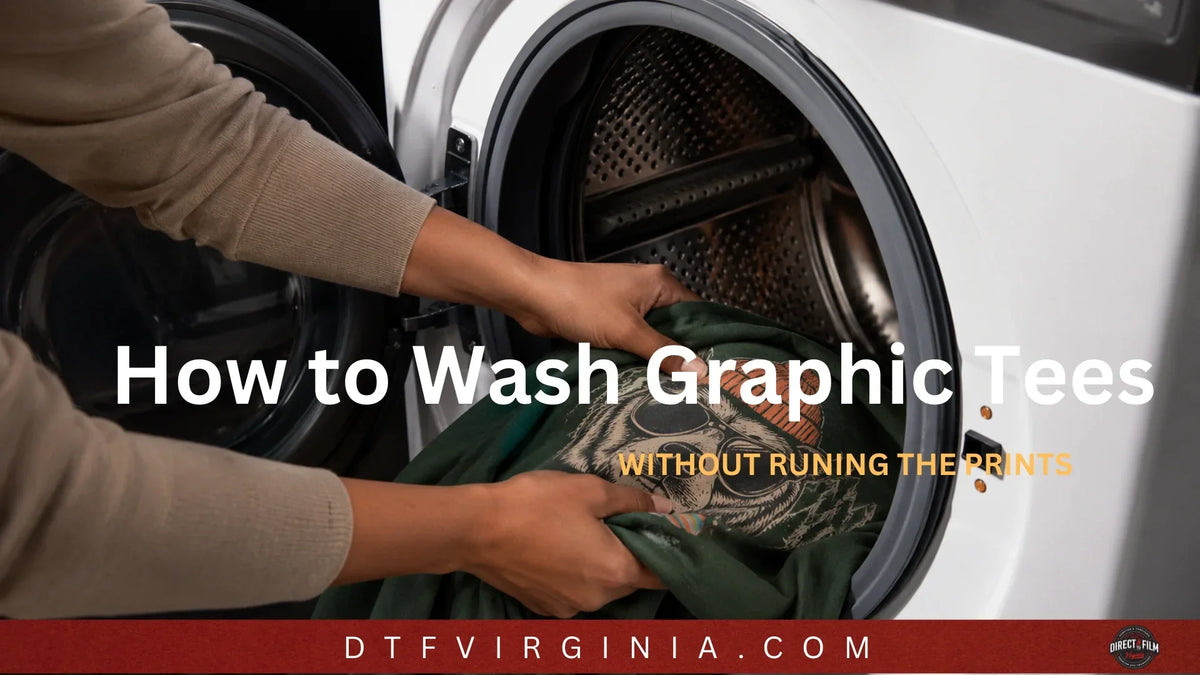
Quick answer: Turn the shirt inside out, wash it in cold water (30°C/86°F or below) on a gentle/delicate cycle with mild detergent and no bleach or fabric softener, then skip the dryer — hang or lay flat to air dry. This single routine prevents the two biggest causes of print damage: heat and friction.
The rest of this guide breaks down exactly why each step matters, how to adjust for different print types (DTF, screen print, vinyl, sublimation), how to hand wash, remove stains, and avoid the mistakes that crack or fade graphics fastest.
Key Takeaways
- Cold water only (below 86°F/30°C) — heat softens ink bonds and causes cracking and shrinkage.
- Inside out, always — protects the graphic from friction against other clothes and the drum.
- No bleach, no fabric softener — both break down print adhesive and pigment over time.
- Air dry when possible — the dryer's heat is the #1 cause of premature cracking and peeling.
- Wait 24–48 hours before the first wash on a newly printed tee to let the ink fully cure.
- Wash inside out with like colors and similar fabric weights to reduce abrasion.
Step-by-Step: Machine Washing Graphic Tees
- Turn the shirt inside out. This is the single most protective habit — it shields the print from rubbing against zippers, buttons, and other garments.
- Sort by color and weight. Wash dark and light colors separately, and keep printed tees away from heavy items like jeans or towels that cause abrasion.
- Select cold water, gentle/delicate cycle. Cold water (below 86°F/30°C) prevents fading and keeps print adhesive from softening.
- Use a mild liquid detergent. Avoid detergents with bleach, optical brighteners, or enzymes, which can dull colors and degrade ink over time. Powder detergent that doesn't fully dissolve in cold water can also leave residue on prints.
- Skip fabric softener. Softener coats fibers with a waxy layer that weakens how well ink adheres to the fabric, speeding up cracking.
- Use a mesh laundry bag for extra protection, especially for heavily printed, oversized, or vintage-style tees.
- Remove promptly after the cycle ends to avoid set-in wrinkles and prolonged dampness against the print.

Step-by-Step: Hand Washing Graphic Tees
Hand washing is the gentlest option and is recommended for delicate, vintage, or high-value printed shirts.
- Fill a basin or sink with cold water and a small amount of mild detergent.
- Turn the shirt inside out and submerge it fully.
- Let it soak for 10–15 minutes to loosen dirt and oils.
- Gently agitate the fabric with your hands — never scrub directly on the printed area.
- For stains, dab (don't rub) with a soft cloth and a stain-safe solution.
- Rinse thoroughly with cold water until suds are gone.
- Press out excess water by gently squeezing — never wring or twist, which can distort the print and fabric.
How to Dry Graphic Tees
Heat is the fastest way to crack, peel, or fade a printed design. Choose one of these methods:
| Method | How to Do It | Best For |
|---|---|---|
| Air dry (recommended) |
Lay flat on a towel or hang inside out on a plastic hanger, out of direct sunlight | All graphic tees, especially DTF, vinyl, and sublimation prints |
| Low-heat machine dry | Turn inside out, use the lowest heat/"delicate" setting, remove while still slightly damp | Time-sensitive laundry loads |
| Avoid | High heat, tumble dry high, or direct sunlight drying | Never use on printed apparel |
Why air drying wins: Dryer heat repeatedly softens and re-hardens the print's adhesive layer. Over dozens of wash-dry cycles, this thermal cycling is what causes the alligator-skin cracking pattern people associate with "worn out" graphic tees.

Removing Wrinkles Without Damaging the Print
- Ironing: Turn the shirt inside out, use the lowest heat setting suited to the fabric, and place a thin cloth or parchment paper between the iron and the print. Never iron directly on the graphic.
- Steaming: Hang the shirt inside out and steam from a few inches away. Avoid holding the steamer directly over the printed area for extended periods.
- No iron/steamer? Hang the shirt in a steamy bathroom while showering, or use a wrinkle-release spray on the inside of the fabric.
Washing Instructions by Print Type
Not all graphic tees are printed the same way, and each method has slightly different vulnerabilities.
| Print Type | Extra Care Notes |
|---|---|
| DTF (Direct-to-Film) transfers | Very durable when cured properly; still avoid heat and harsh detergent for maximum lifespan |
| Screen printing | Ink sits on top of the fabric — avoid folding while damp, which can cause ink-to-ink transfer or stick marks |
| Vinyl (HTV) | Most sensitive to heat; never iron directly on vinyl and always air dry |
| Sublimation | Dye is embedded in the fibers (not layered on top), so cracking is less of a risk, but hot water can still fade colors |
| Discharge/water-based ink | Soft, dyed-into-fabric feel; treat like sublimation — gentle on color, less prone to cracking |
If you're unsure which method was used, treat the shirt as if it were the most delicate type: cold wash, inside out, air dry.
How to Remove Common Stains from Graphic Tees
| Stain | Treatment |
|---|---|
| Sweat/deodorant | Pre-treat with a 1:1 vinegar-water solution before washing; avoid chlorine bleach, which yellows fabric and degrades prints |
| Food/grease | Dab (don't rub) with a small amount of dish soap, let sit 5–10 minutes, then wash cold |
| Ink | Blot with rubbing alcohol on a cloth from the back of the fabric, working outward; test on an inconspicuous area first |
| General set-in stains | Soak in cold water with an oxygen-based (non-chlorine) stain remover for 30 minutes before washing |
Always spot-test any stain remover on a hidden area first, and dab rather than scrub — scrubbing directly on or near a print accelerates cracking and peeling.
When you need some fresh new graphic tees, create your own with our custom DTF transfers.
Common Mistakes That Ruin Graphic Tees
- Washing a newly printed shirt within the first 24–48 hours, before ink has fully cured
- Using hot or warm water
- Putting shirts in the dryer on high heat
- Using chlorine bleach or fabric softener
- Scrubbing stains directly on the print
- Washing right-side out, exposing the graphic to friction
- Ironing directly on the design
- Leaving wet shirts balled up in a hamper, which can cause color bleed and mildew odor
How Long Should a Graphic Tee's Print Last?
With proper cold-water, inside-out, air-dry care, a well-made print (DTF, screen print, or sublimation on quality fabric) can last 50+ washes without significant fading or cracking. Poor care — hot water, high heat drying, and harsh detergents — can visibly degrade a print in as few as 10–15 washes.
Quick Reference: Do's and Don'ts
Do:
- Wash cold, inside out, gentle cycle
- Use mild, bleach-free detergent
- Air dry or use lowest dryer heat
- Treat stains gently with dabbing motions
- Wait 24–48 hours before first wash on new prints
Don't:
- Use hot water or high heat
- Use bleach or fabric softener
- Scrub or wring the printed area
- Iron directly on the graphic
- Wash right-side out with heavy items
The care routine for graphic tees comes down to three consistent rules: cold water, inside out, and away from high heat. Following these steps for every wash and dry cycle is what separates a graphic tee that fades and cracks after a dozen washes from one that still looks new after fifty.
Graphic T-Shirt Washing and Care FAQs
Does washing graphic tees in cold water actually make a difference?
Yes. Cold water below 86°F (30°C) helps protect the print and reduce the heat exposure that can contribute to cracking, peeling, and color fading over repeated washes.
Can I put a graphic tee in the dryer?
Air drying is the safest option. If you must use a dryer, turn the shirt inside out, select the lowest heat setting, and remove it before the cycle fully finishes to limit heat exposure.
How soon can I wash a new graphic tee?
Wait at least 24–48 hours after printing before the first wash to allow the ink or transfer to fully cure. If the shirt was purchased preprinted, follow the printer’s or manufacturer’s care instructions.
Why is my graphic tee cracking?
Cracking can result from repeated exposure to hot water, high dryer heat, friction, improper application, or normal wear over time. Washing in cold water and air drying can help prevent additional damage, but existing cracks usually cannot be reversed.
Should I turn graphic tees inside out before washing?
Yes. Turning graphic tees inside out helps protect the print from rubbing against other clothing, buttons, zippers, and the washing machine during the wash cycle.
Is hand washing better than machine washing for graphic tees?
Hand washing is gentler and may be best for delicate, vintage, or high-value printed shirts. For everyday graphic tees, a cold-water gentle machine cycle is a safe and effective alternative.
Can I use fabric softener on a graphic tee?
It’s best to avoid fabric softener. It can leave a coating on the fabric and may affect some types of printed shirt material over time. Use a mild detergent and follow the garment’s care instructions instead.
What detergent is best for graphic tees?
A mild, bleach-free liquid detergent is usually best. Liquid detergent dissolves easily in cold water, while some powder detergents may leave residue if they do not dissolve completely.
How do I wash a white graphic tee without yellowing?
Wash white graphic tees separately from colored clothing in cold water with a mild detergent. If needed, use an oxygen-based, non-chlorine whitener that is safe for the garment and print. Avoid applying chlorine bleach directly to the design.
Is hard water bad for graphic tees?
Hard water contains minerals that can build up on fabric and printed designs over time. Using the correct amount of detergent or a laundry water softener may help reduce mineral buildup.
Should I iron a graphic tee?
Only if necessary, and never iron directly on the printed design. Turn the shirt inside out, use low heat, and place a clean cloth between the iron and the printed area for added protection.